Quality Auditing tool to use within Confluence Cloud
 Sofia Kargioti
Finding the best Quality Auditing tool for your companys needs might be a little difficult since there are quite a few interesting ones in the market. However, in this article, we are going to talk about the QC Documents app, a QA tool to use within the Confluence Cloud that will come in handy for your business.
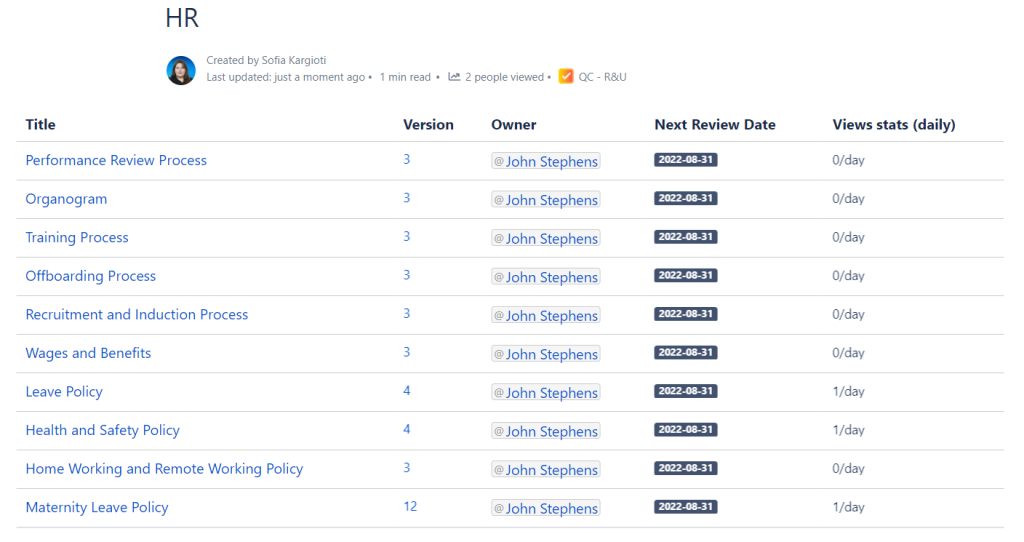
Here we will see an example of how you can use this app for successful QA projects. The final look of what we will see here will be a table populated with your pages and their properties like the most recent version, when the document was last reviewed, by whom was it reviewed, and how many views this page has on a daily basis, etc.
Why Quality Audit is important
Quality Audit is crucial for an organization in order to ensure its greatest benefit by evaluating the success of processes, products, and systems. QA is an important tool if you want to:
- Determine your Quality Systems conformity with specified requirements,
- Review objective evidence of the processes,
- Review objective evidence of processes,
- Provide evidence to reduce and eliminate problem areas,
- Ensure products are fit for purpose, safe for consumers, and compliant with regulations,
- Determine if your companys Quality Policy meets Quality Standards,
- Take Corrective Action for deficiencies, and
- Identify Opportunities for Improvement.
How to build a Quality Auditing tool within Confluence Cloud
For the purposes of the article, we will assume that you want such a tool to check your company's processes and when they were last reviewed, by whom, what is the most recent version of the page, etc.
Step 1: Add Page Properties and Labels
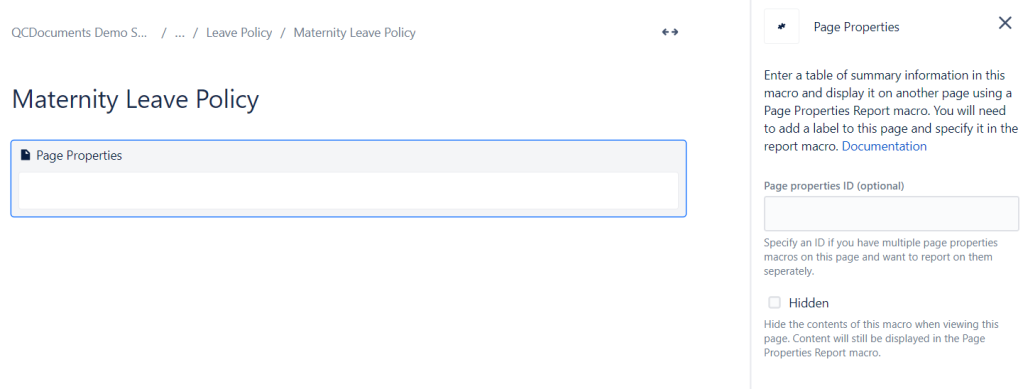
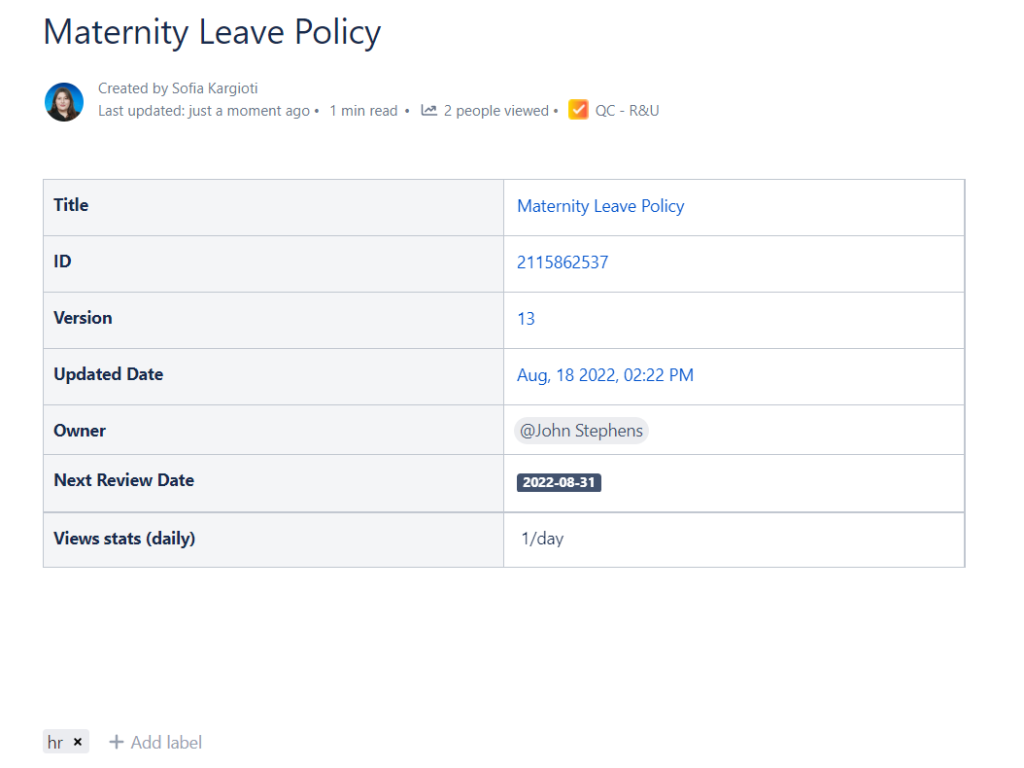
Something that will help you a lot during the setup and use of the QC Documents apps is the page properties macro. All you have to do is add this to your pages and then we will add some data within it.
 It is now time to add a table populated with the page elements that interest you within the Page Properties macro. In the screenshot below you will see that on the left column of the table I added all my headers and on the right Ive added the QC Page Property macro.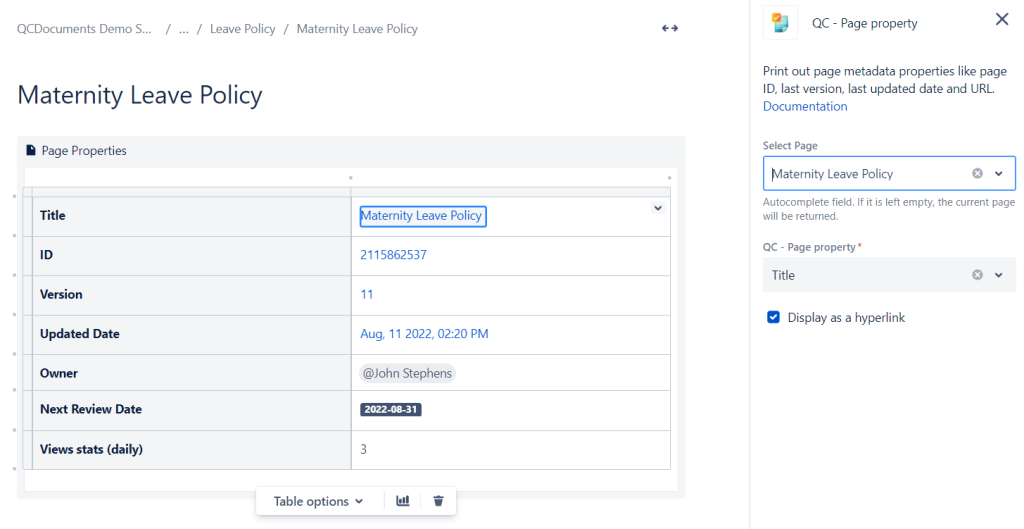
An interesting macro that was recently implemented within the QC Documents app is the Expiration Date macro, which you can see within the last lines of the table.
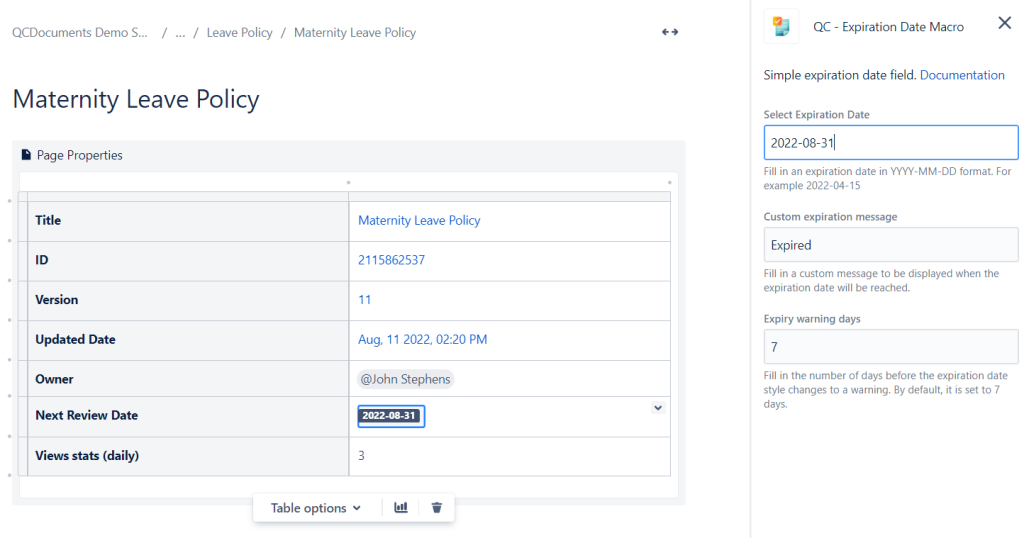
The coloring style of the macro will let you know if the expiration date for the page has passed and so it is considered expired, or if its still coming, so it will either be a warning or its default style.



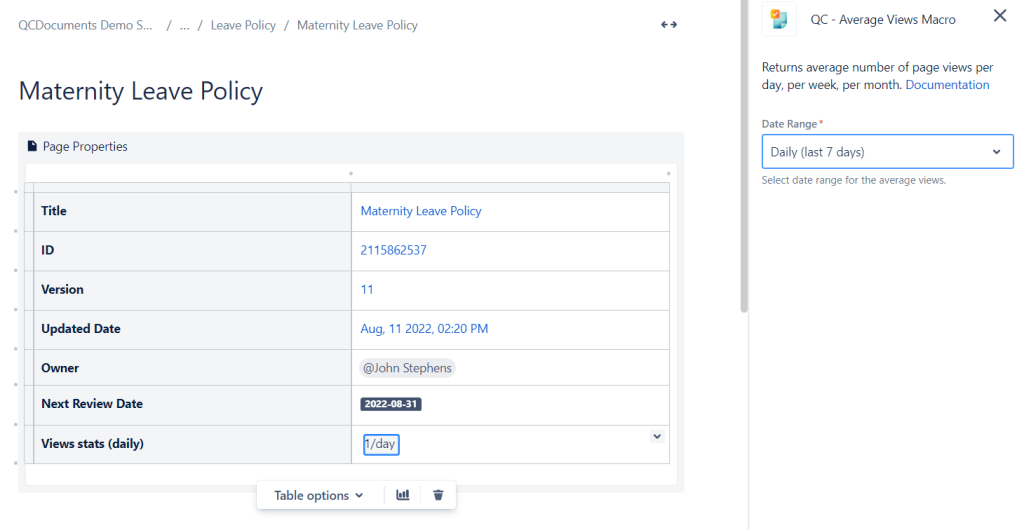
Another interesting macro is the QC Average Views macro that lets you display the average amount of page views on:
- a daily basis (for the last 7 days),
- a weekly basis (for the last 4 weeks), and
- a monthly basis (for the last 3 months).
All good so far! We have added tables with page properties within those pages, but how can we see all of them together in one place? Well, first of all, you should use labels. In our example we have the following pages:
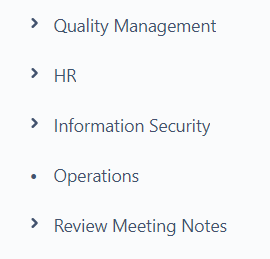
and within those parent pages, there are some children as well. For example under the HR page are the followings:
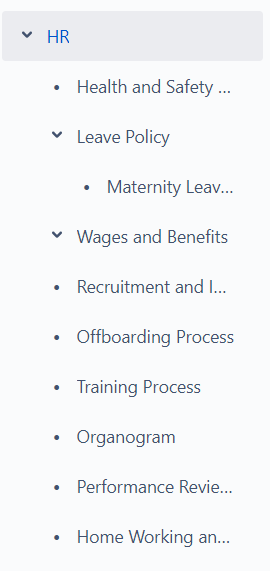
In order to control those pages we use the same label on all of them (in our case the label is hr), so all the children pages have a page properties macro with elements such as the Title, the ID, the Version, etc, and the hr label, and they look like this:
Step 2: Create a Page Properties Report
All those children pages are printed within the mama-page, HR, by using the Page Properties Report macro, and you can choose which columns you want to see. In our example we chose the page version, the Owner of the pages, the Next Review Date, and the Average Stats. 
And that is how the QC Documents can be a very good tool to use in the Confluence Cloud, for your Quality Auditing purposes.
Try today the QC Documents app by downloading it from Atlassian's Marketplace.