
Introducing QC Approvals: A Native Approval Workflow Solution for Confluence Cloud
 Sofia Kargioti
Managing content reviews and formal approvals in Confluence just got a whole lot easier! We’re excited to introduce QC Approvals for Confluence Cloud, a powerful tool that brings structured approval workflows, version control, and transparent sign-offs right into your Confluence pages.
Why Approval Workflows Matter in Confluence
Confluence is a powerful collaboration platform, and over time, a variety of apps and approaches have emerged to help teams manage approvals. However, many teams still struggle to find a solution that combines flexibility, transparency, version awareness, and audit readiness all in a way that feels truly native to Confluence Cloud.
QC Approvals was designed to address these gaps by offering structured, configurable approval workflows that integrate directly with Confluence pages, versions, and user roles. The result is a clearer, more controlled approval process that scales with your team’s needs while remaining easy to adopt and manage.
What QC Approvals Brings to Your Team
Here’s how QC Approvals enhances your Confluence Cloud experience:
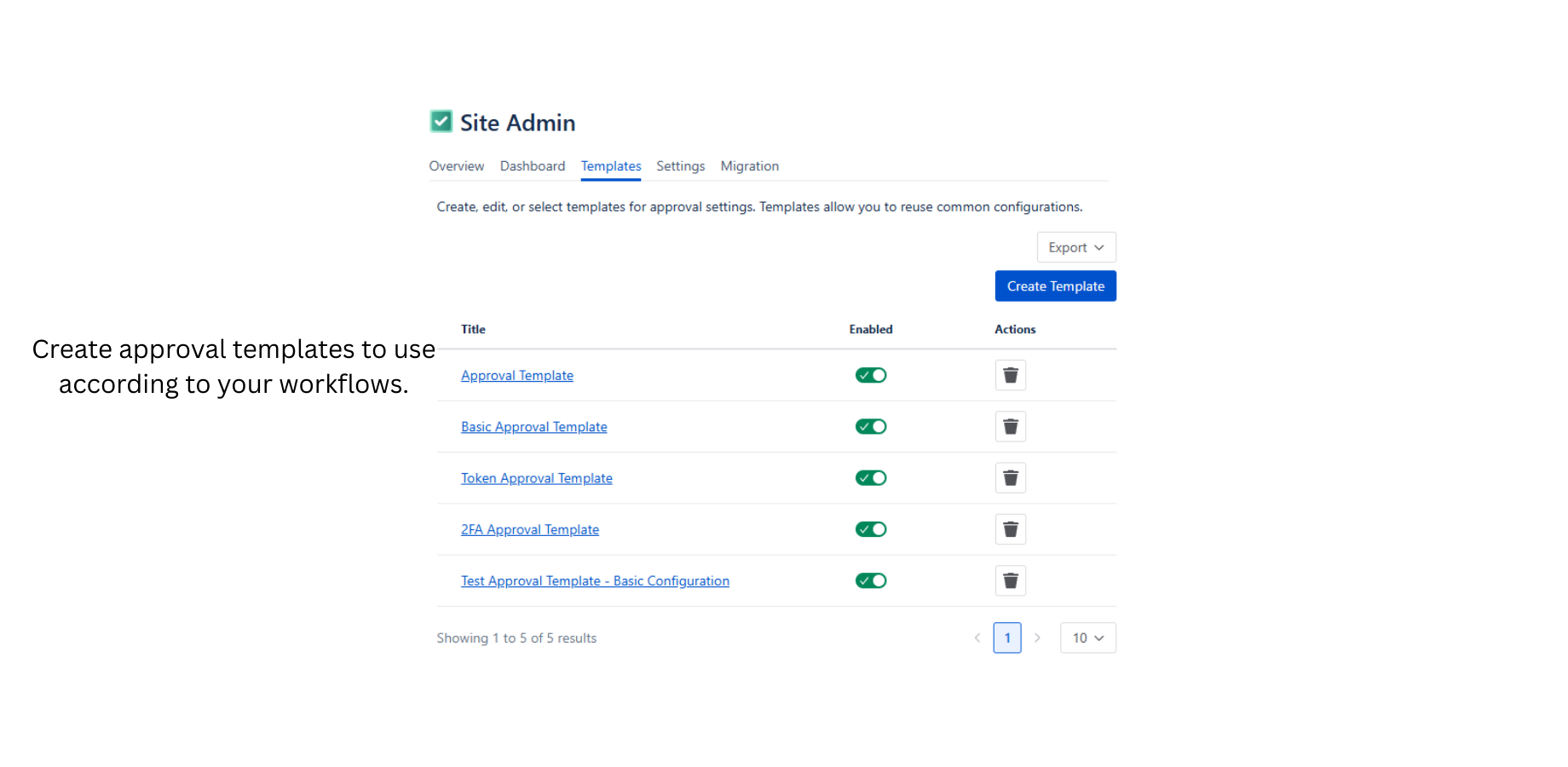
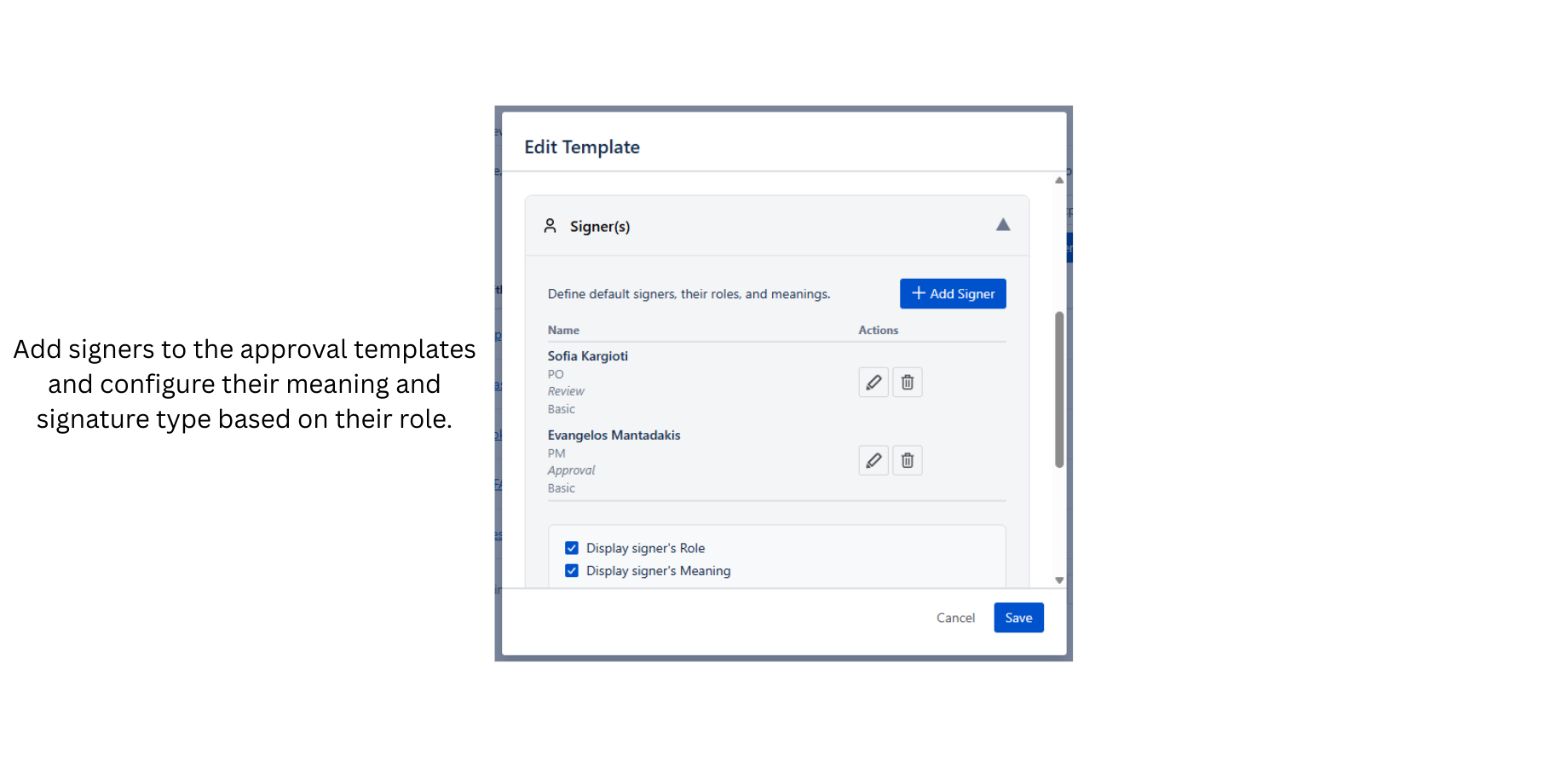
- Approval Templates: Create reusable workflows with defined roles, signers, and process rules — so every page follows your standard approval process.
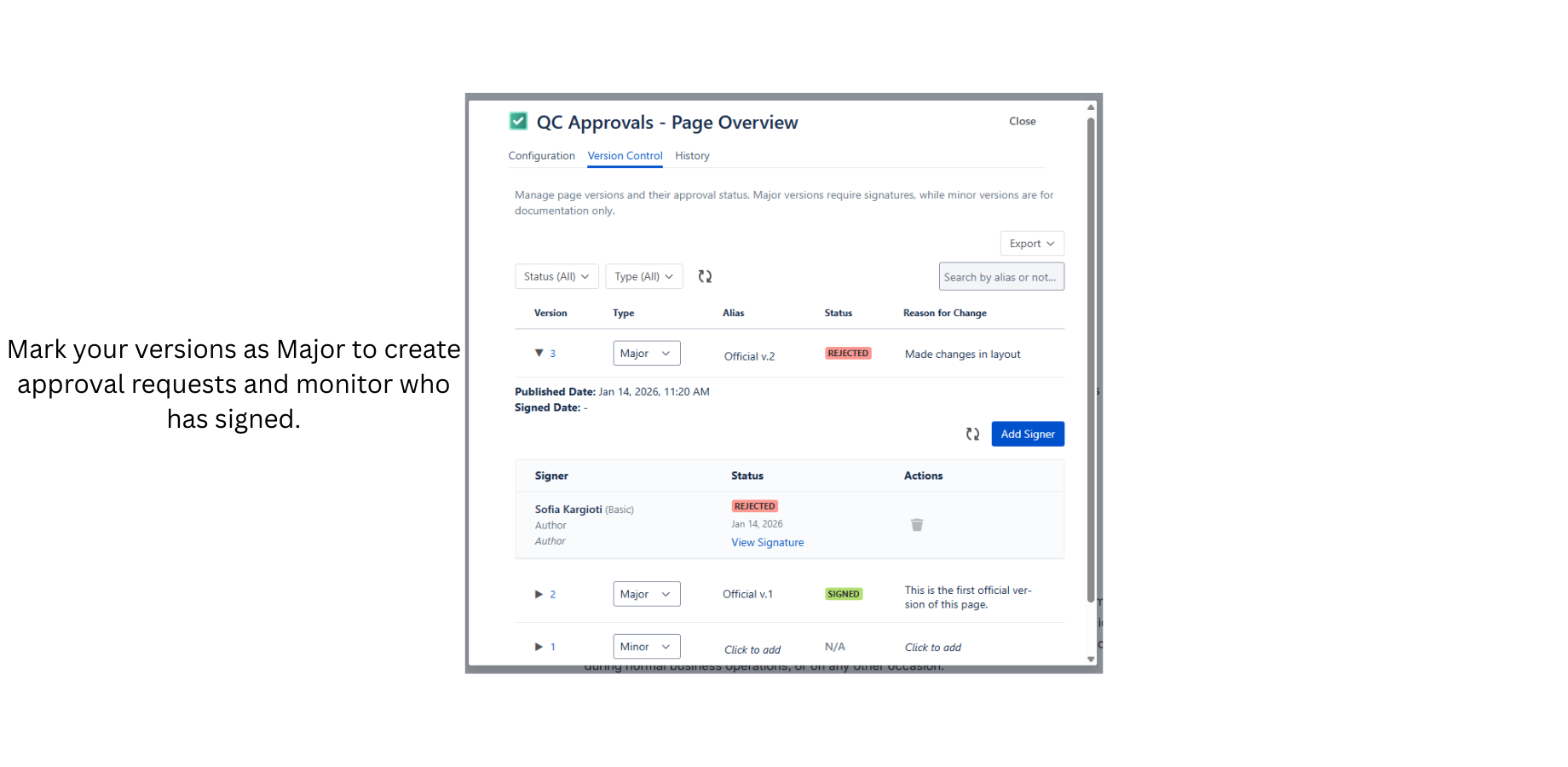
- Version-based Control: Mark Major vs. Minor versions and require approvals only when a page reaches the relevant milestone. This lets you govern drafts vs. official releases.
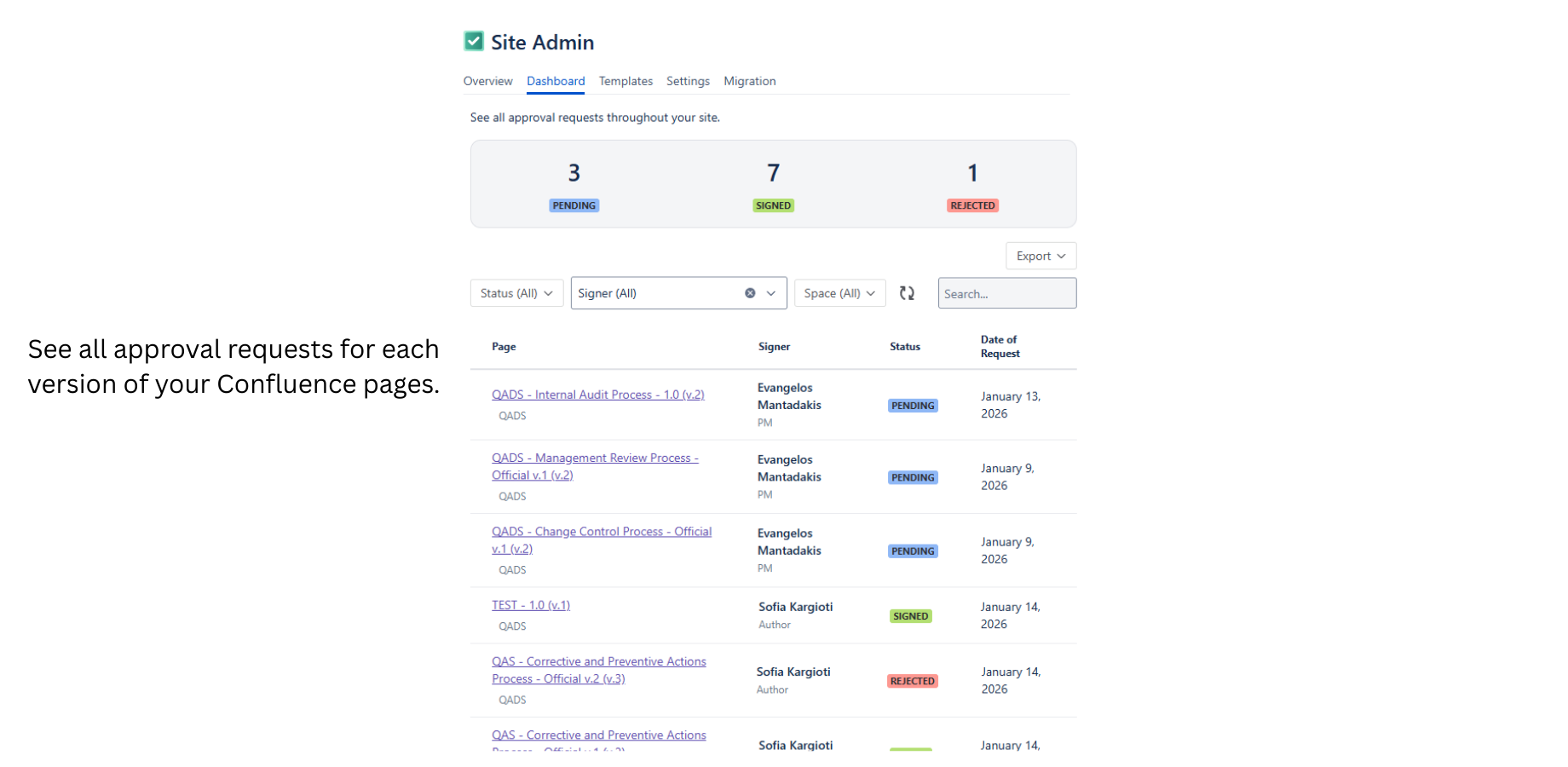
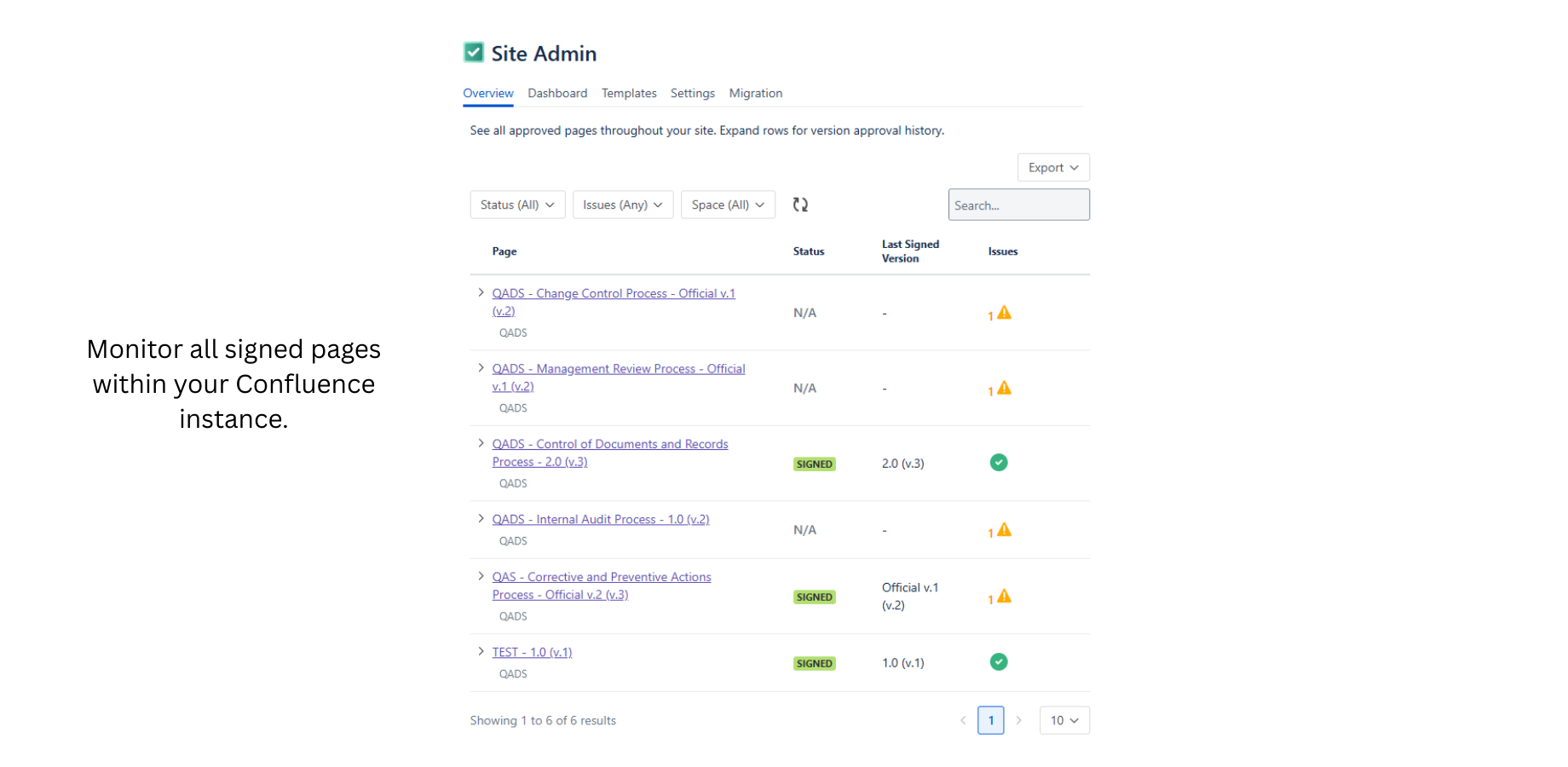
- Central Dashboard: See all your pages, spaces, and approval statuses in one place and help your team spot overdue reviews or bottlenecks.
- Notifications & Reminders: Automate alerts for pending approvals and notify signers so nothing slips through the cracks.
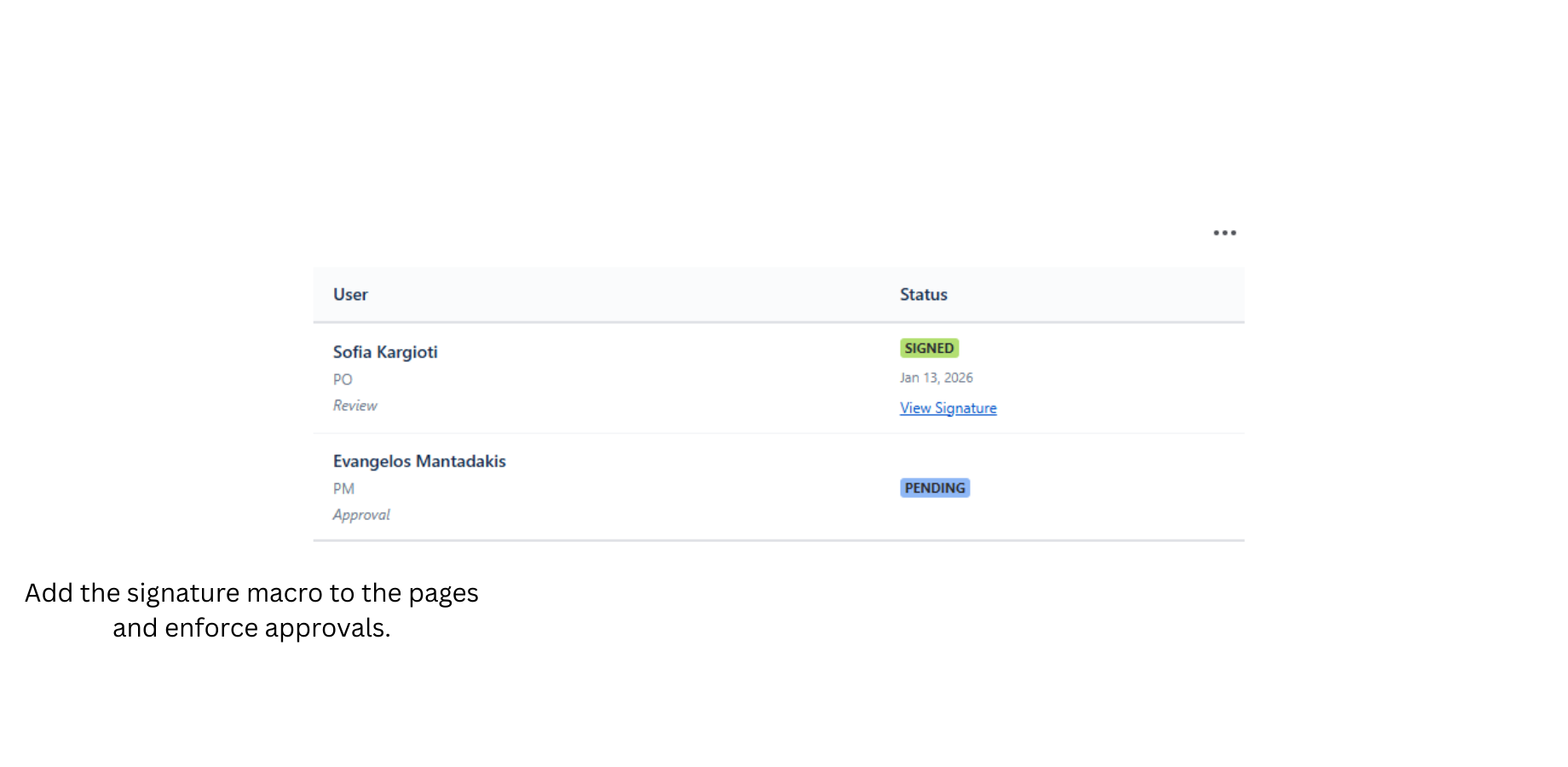
- Secure Signatures: Support for secure methods like two-factor authentication for signing pages is great for compliance and audit readiness.
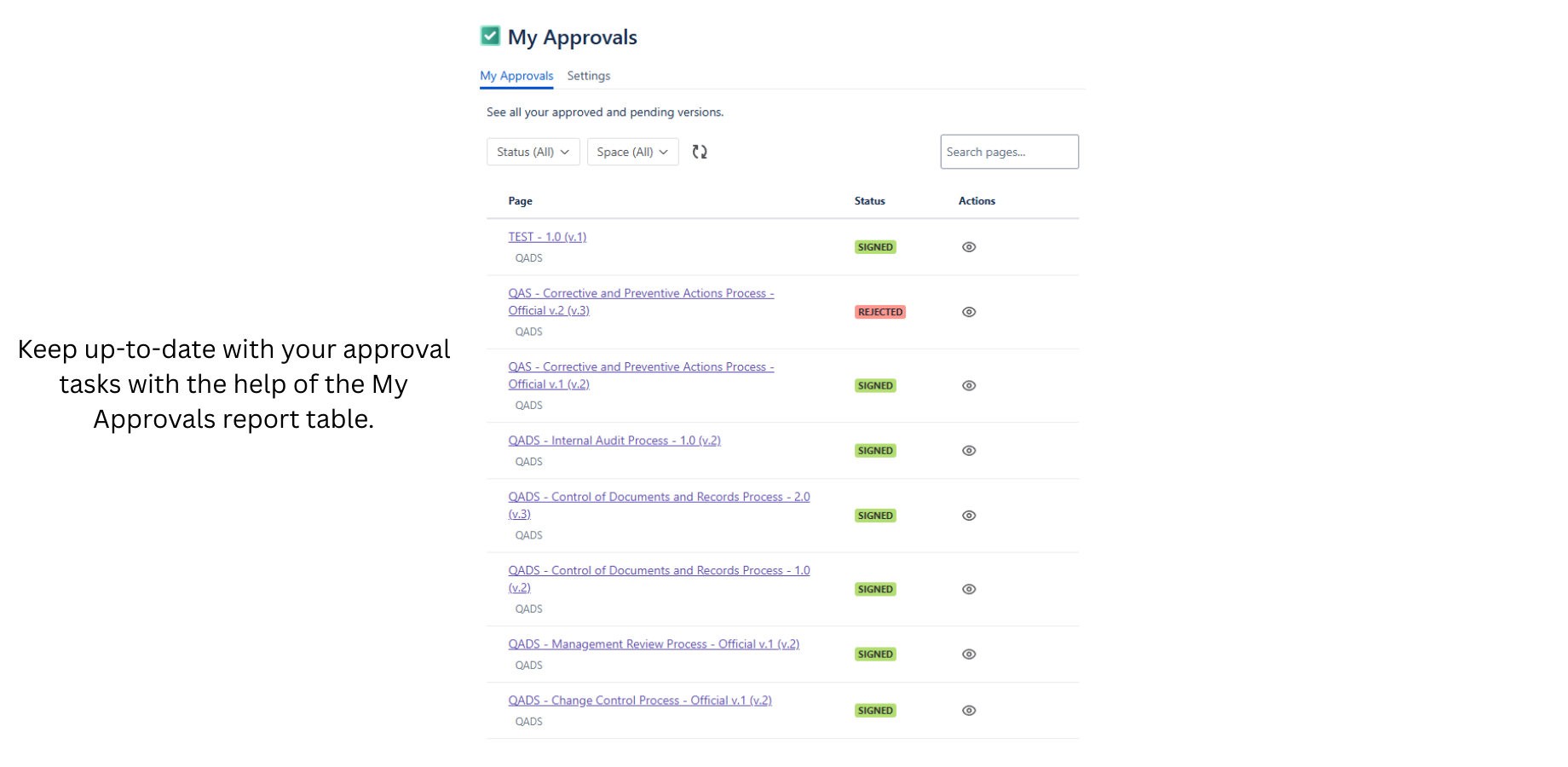
- Personal Approval Views: Each user gets a My Approvals view to track pending tasks and recent approvals.
How It Works
Getting started with QC Approvals in your Confluence Cloud site is quick:
- Install the app from the Atlassian Marketplace: Just hit Try it free and select your Confluence instance.
- Create approval templates for your business workflows (review cycles, required signers, reminders).
- Add a template to a page: enable approvals, set the version, and let QC Approvals take over.
- Track, sign, and manage approvals.
For a step-by-step walkthrough, check out our detailed support guide here.
Try it free
QC Approvals for Confluence Cloud is available today on the Atlassian Marketplace. Whether your team needs formal sign-offs, audit accountability, or just a more reliable way to handle document approvals, QC Approvals makes it straightforward and scalable.