How to build a Marketing Plan in Confluence Cloud
 Sofia Kargioti
Confluence Cloud is a cooperating tool that can help companies work more efficiently in many ways. One of these ways is that you can build a marketing plan in no time and track your progress easily.
You are a start-up company that wants to establish its position in the market. You have already created a business plan that you intend to follow but you are not willing to invest in a marketing plan. There are numerous reasons why a company doesn’t want to invest in marketing, they lack knowledge and experience, they don’t think it’s important enough, they’re afraid they will fail, etc. But let me tell you 5 reasons why you SHOULD have a Marketing Plan in place and how to build it in Confluence Cloud.
Why a Marketing Plan is important
As a start-up company, you’ve come up with a business plan that defines your direction but you need another tool to help your business get there. That tool is called a marketing plan. A marketing plan will help you understand how to get exactly where you need to be.
Below are five reasons why a marketing plan is important:
- A marketing plan is a framework of how you will put your best foot forward, it’s your starting point and provides focus.
- It enables you to plan and manage resources in the most effective way possible.
- A marketing plan provides you with transparency, it has measurable metrics that can be tested, tracked, and measured regularly.
- It ensures consistency, it provides a foundation to grow your business.
- A marketing plan provides clarity over where your business is going, your targets, your staff’s roles, etc.
Building a Marketing Plan in Confluence Cloud
Moving on to the second half of this article, we are going to talk about building a marketing strategy in Confluence Cloud.
Building a marketing plan in Confluence Cloud is one of the easiest tasks as you have to follow only 3 simple steps.
Step 1: Create marketing projects
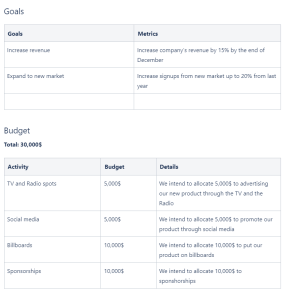
By creating small marketing projects you can share responsibilities with the people in your business, thus making it even easier to monitor their progress. All you have to do is** create a new page for each one of your projects and use the "Marketing campaign" template and fill in the spaces.**

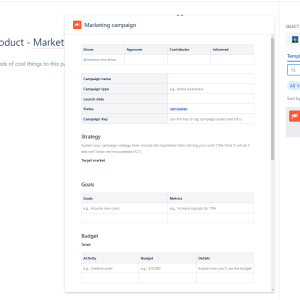
Example of a marketing campaign
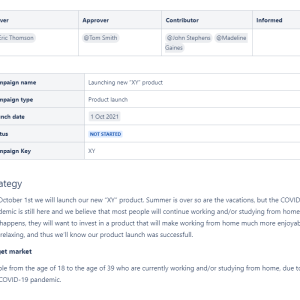
Step 2: Add page properties
To make auditing much easier you can add page properties to your marketing campaigns. Here is an example of how you can do it.
- Open your page in the editor mode, click the plus icon on top and search for the Page Properties macro (to speed up the entry you can type /page properties).
- Insert a **table **to the page properties macro (use the /table to speed up the process).
- Fill in the table with the desired elements.
- Publish your page.
- Done! The page properties should look like this when you’re in the editor mode.
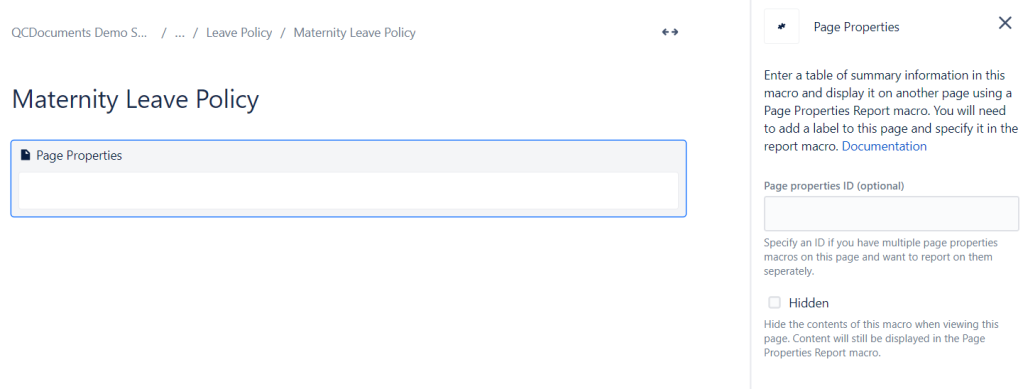
Once you are done with building your Marketing Plan, it is time to set it into motion and audit the progress, which leads us to the third and last step.
Step 3: Create an overview of your marketing projects
Although auditing can become a real headache, Confluence Cloud offers a wide variety of tools that will make your job easier, and our company is here to offer you solutions that, together with the Confluence tools, will loosen your hands.
You can create an overview page that will list all your marketing projects and their elements.
Let’s see how you can do it.
- Create a new page.
- Add the Page Properties Report macro and edit it according to what you want to display.
- Publish your page.
- Done! You have now an overview of your Marketing Campaigns so you can monitor them easily.
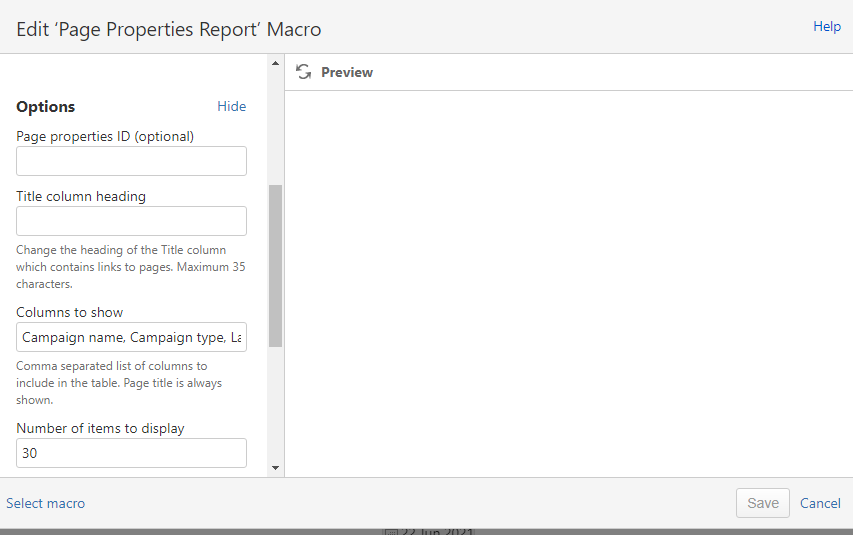
Your Marketing Campaigns overview page should look like this:

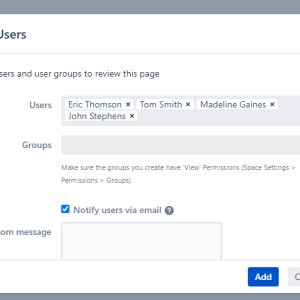
Now that you’ve built your marketing campaigns and have prepared your overview page you can use the QC Read & Understood for Confluence Cloud app to assign each campaign to the right people and notify them about the pending reviews. The users will get the notification and they will be able to start** reviewing** and working on their projects.